Five Layers Moving at Different Speeds
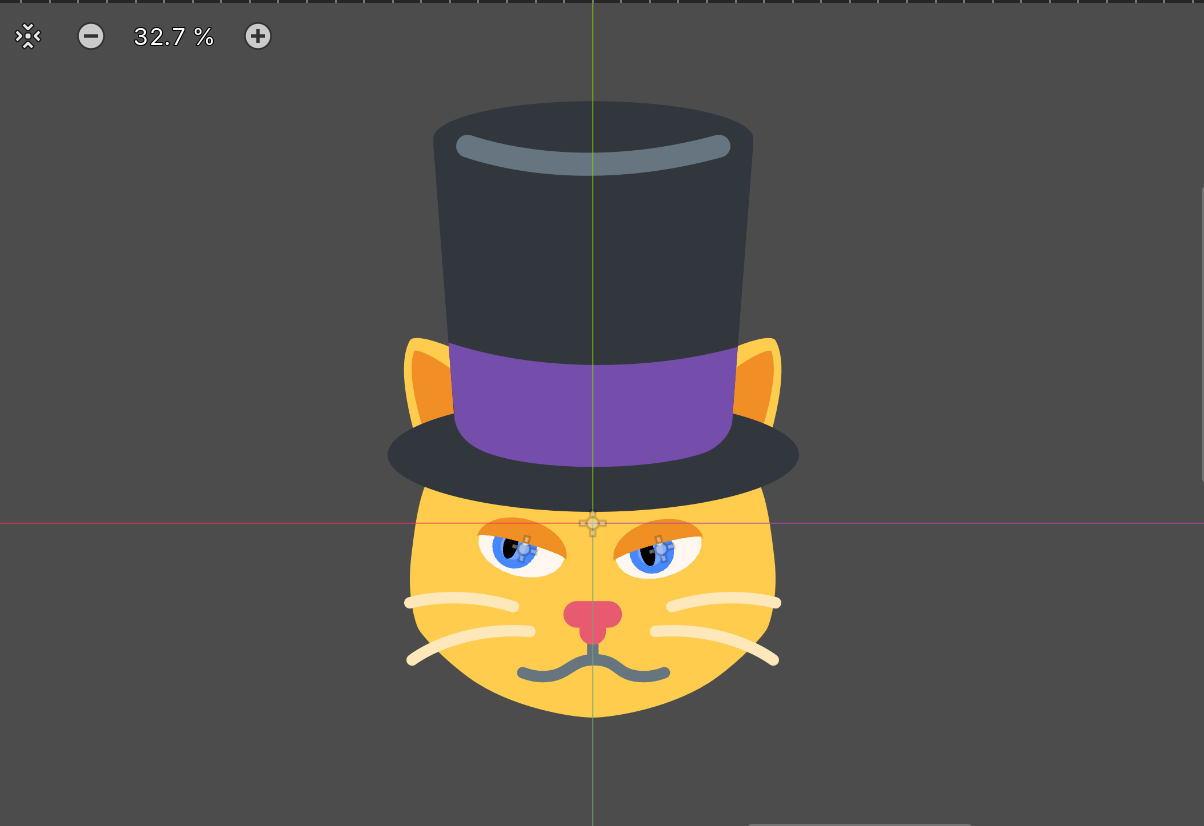
There's a Godot project of mine called WobbleCat. The cat itself exists as artwork, a yellow cat in a top hat who went on to be the player character in a fruit merging game. What doesn't exist is its behavior: Cat.cs is fifteen lines and both of its methods are empty.
Eye.cs is 287 lines and draws a cartoon eye that tracks a target, entirely from polygons, with no textures. The eyes got built and the cat that would have used them didn't, which is a fair description of how these things go.
The eye is a small system that solves a 3D problem without any 3D.
A Sphere Made of Flat Layers
An eye is a ball. Looking at something rotates the ball, and the parts of it painted nearer the front swing further across the view than the parts painted nearer the back. That's the effect that makes a drawn eye read as an eye rather than as a dot on a circle.
Here it's five numbers:
Vector2 pupilPosition      = view * new Vector2(1.0f - FocalDistance, 1.0f);
Vector2 irisInnerPosition  = pupilPosition * 0.8f;
Vector2 irisOuterPosition  = pupilPosition * 0.7f;
Vector2 scleraPosition     = pupilPosition * 0.2f;
Vector2 specularPosition   = irisInnerPosition + (new Vector2(1, -1) * specularDistance * shortDimension);
Every layer moves along the same gaze vector by a different fraction of it. The pupil travels the full distance because it's on the front of the ball. The iris follows at eighty and seventy percent. The white barely moves at twenty percent, because it's the ball itself and a ball that rotates in place doesn't go anywhere.
Then they're drawn back to front:
DrawSclera(scleraPosition, scleraRadius);
DrawIrisOuter(irisOuterPosition, irisOuterRadius);
DrawIrisInner(irisInnerPosition, irisInnerRadius);
DrawPupil(pupilPosition, pupilRadius);
DrawSpecular(specularPosition, specularRadius);
DrawEyelid(scleraPosition, scleraRadius);
Four ellipses at four offsets. There's no projection, no perspective divide, no sphere anywhere in the code, and the result reads as a rotating eyeball because differential parallax is most of what depth looks like.
The sclera moving at all is the detail that finishes it. Twenty percent is barely visible, and leaving it at zero makes the eye read as a hole with things sliding around inside it. A little movement makes the whole assembly one object.
The Highlight Belongs to the Room
The specular highlight is positioned differently from everything else:
Vector2 specularPosition = irisInnerPosition + (new Vector2(1, -1) * specularDistance * shortDimension);It starts from the iris, so it travels with the eye, and then gets a fixed offset up and to the right that has nothing to do with the gaze.
That's a light source. A highlight is a reflection of something in the room, and the room doesn't move when the eye looks left. Attaching the highlight rigidly to the pupil is the mistake that makes an eye look like a sticker, because the reflection then orbits with the gaze as though the lamp were bolted to the eyeball.
There can be more than one:
for (int i = 0; i < numSpeculars; i++)
{
    float specularScale = 1.0f - (i * (1.0f / (numSpeculars + 1)));
    var specularPosition = position * specularScale;
    var specularRadius = size * specularScale;
    Ellipse2D.Draw(this, specularPosition, specularRadius, specularColor);
}
Each additional highlight is smaller and closer to center. The divisor of numSpeculars + 1 means the last one never reaches zero scale, so asking for six highlights gives six visible ones rather than five and a point. Choosing the denominator so the sequence never degenerates is the kind of thing that only gets fixed after somebody turns the count up.
Two Arcs Make a Shape
The eyelid is one polygon built from two half ellipse arcs:
for (int i = 0; i < eyelidSegments; i++)
{
    float angle = (Mathf.Pi * 1) + (Mathf.Pi / eyelidSegments * i);
    points[i] = position + Ellipse2D.CalculateEllipsePoint(size.X * 1.05f, size.Y * 1.05f, angle);
}

float eyelidScale = -1.0f + (2 * (1.0f - EyelidOpenAmount));

for (int i = 0; i < eyelidSegments; i++)
{
    float angle = (Mathf.Pi * 2) + (Mathf.Pi / eyelidSegments * i);
    points[eyelidSegments + i] = position + Ellipse2D.CalculateEllipsePoint(size.X * 1.05f, size.Y * 1.05f * eyelidScale, angle);
}
The first arc is the top of an ellipse slightly larger than the sclera. The second is the same arc with its vertical radius scaled by a value that runs from minus one to plus one as the lid closes. The filled region between them is the eyelid.
The lid edge is a curve rather than a straight line, which is what a real eyelid does and what a rectangle sliding down cannot do. And at 1.05 times the sclera size, the lid is slightly bigger than the eye, so it covers the antialiased boundary instead of leaving a rim of white showing through.
The same construction appears again for a completely different shape:
public static void DrawCapsule(CanvasItem parent, Vector2 position, float radius, float length, Color color, int segments = 24)
{
    // top arc at position
    // bottom arc at position + new Vector2(length - (radius * 2), 0)
    parent.DrawPolygon(points, colors);
}
Two half circle arcs, the second displaced along X, joined into one polygon. That's a capsule. Same technique, different offset. A filled shape is two boundary curves and a rule relating them, so once the arc generator exists, a new shape is a transform applied to the second arc.
The Constraint That Got Flattened
Gaze is limited so the pupil can't leave the white:
[Export] public Vector2 MotionConstraint { get; set; } = new(0.25f, 0.025f);
...
var maxViewRight = new Vector2(shortDimension, shortDimension) * MotionConstraint;
var maxViewDistance = maxViewRight.Length();
var maxView = targetDirectionNormalized * maxViewDistance;
if (targetDistance > maxViewDistance)
{
    view = maxView;
}
The constraint is authored as a Vector2 with very different components. Horizontal travel is twenty five percent of the eye's short dimension and vertical is two and a half percent, ten times less, which is the right instinct for a cartoon eye that should glance sideways freely and barely look up.
But the two components are immediately collapsed into a single scalar by taking the vector's length, and that scalar is applied to the gaze direction regardless of which way it points. The limit is a circle. The asymmetry that was carefully authored is averaged away, and the vertical axis ends up with roughly ten times the travel it was given.
Some of it comes back by accident:
Vector2 pupilPosition = view * new Vector2(1.0f - FocalDistance, 1.0f);FocalDistance is 0.5, so horizontal movement is halved and vertical is untouched. That's a second asymmetry, applied in the opposite direction to the one intended, and it exists to serve a different purpose.
The fix is to clamp the components separately before normalizing, so an elliptical constraint stays elliptical. Two exported numbers that both do something, but not the thing their names describe, is a worse state than one number, because tuning either produces a result nobody can predict.
Everything Redraws While It's Tuned
Every class here is a [Tool] script, so it runs inside the editor, and every exported property is written the long way:
[Export]
public Vector2 ScleraSize
{
    get => scleraSize;
    set
    {
        scleraSize = value;
        QueueRedraw();
    }
}
A backing field, a getter, and a setter whose only extra job is to request a redraw. That's five lines per property where an auto property would be one, repeated for the sclera size and color, the iris sizes and colors, the pupil, the speculars, the eyelid, and the segment counts, which is most of the file's length.
The payoff is that dragging a slider in the inspector changes the eye immediately, with no play button. A parametric eye has a dozen coupled numbers and nobody can predict what iris size to use, so the only way to find the values is to move them and look. Making that loop instantaneous is the difference between tuning an eye and guessing at one.
It's the same idea as the terrain generator I wrote fifteen years earlier that swapped buffers between generation steps, and the dungeon generator that rendered between passes. The recurring lesson is that anything with parameters nobody can predict needs to be visible while it's being changed, and the cost of arranging that is always smaller than it looks.
Godot has a NotifyPropertyListChanged and Godot 4 supports [Export] on auto properties, so the boilerplate could largely go away with a source generator or a small base class that redraws on any inspector change. As written, adding a property means remembering to call QueueRedraw in its setter, and forgetting produces a control that does nothing until the editor happens to repaint.
What Transfers
Fake depth with differential parallax before reaching for real depth. Layers moving at different fractions of one vector produce a convincing rotating sphere out of four flat ellipses, and the whole technique is one multiplier per layer.
Anchor a highlight to the light, not to the surface. It travels with the object and holds its own offset, and that single decision is what stops a drawn eye looking like a decal.
Build filled shapes from two boundary arcs. Once there's an arc generator, an eyelid and a capsule are the same code with a different transform on the second arc.
Clamp vector constraints per component. Taking a length turns an ellipse into a circle and quietly discards the asymmetry that was the reason for having two numbers.
And make anything parametric visible while it's being tuned. The boilerplate to redraw on every property change is tedious and it's cheaper than the alternative, which is running the game once per guess.